Quick answer: a retake rate is not a measure of how careful your technologists are. It is a measurement of how well the detector, the room, and the workflow fit each other. Every repeated exposure has a specific, classifiable cause — and if you sort retakes into six buckets instead of treating them as random mistakes, the pattern tells you whether the fix is training, configuration, or hardware. This article gives you the six-bucket map, a five-field retake log you can start using tomorrow, and the decision rules for what each pattern means.
Most rooms we talk to track retakes the same way: the technologist deletes the bad image, repeats the exposure, and moves on. Nothing is written down. The only “data” that survives is a vague feeling that “we repeat a lot of chests.” That feeling never turns into a purchase decision, a training plan, or a service call — it just turns into a background hum of wasted time.
The alternative costs almost nothing: keep a log for a few weeks, sort every retake into one of six buckets, and read the pattern. This article is about how to do that well.
A repeated exposure is not one cost. It is four, stacked:
Notice what is not on that list: a number. You do not need a target percentage to start. In fact, you should be suspicious of anyone who quotes you an industry benchmark for retake rates — definitions vary wildly (does a repeated but rejected image count? does a repeated view for positioning training count? does a repeat requested by the radiologist count?), so cross-facility comparisons are mostly noise. The only baseline that matters is your own room’s, measured with your own definition, against your own past.
When a retake happens, exactly one of six things went wrong. Resist the temptation to file it under “technologist error” until you have checked the hardware and configuration buckets — most rooms that do this for a month discover that the machine contributed to far more retakes than they assumed.
The image is technically fine, but the anatomy that matters is not on it. A shoulder that clips at the edge, a lumbar spine whose L5 sits just outside the field, a long bone that needs two exposures instead of one continuous view. These retakes are rarely operator errors — they are size-mismatch errors. If the room’s work includes large patients, long-bone surveys, or imaging that must include adjacent joints, and the detector is a single fixed size, this bucket fills up fast.
The fixes are configuration decisions, not coaching: choose detector sizes that match the actual caseload, and know when a larger imaging area or stitched standing view is the real answer. We have covered the trade-offs in our 14×17 vs 17×17 comparison, in what a 43×43 cm imaging area buys you, and in how specialty sizes map to specific jobs.
The anatomy is in the field, but the centering is off: the joint is distorted by oblique angulation, the collimation excludes the last centimeter of interest, or the central ray missed the landmark. This bucket produces images that are “almost right” — which is exactly why they generate retakes rather than acceptance.
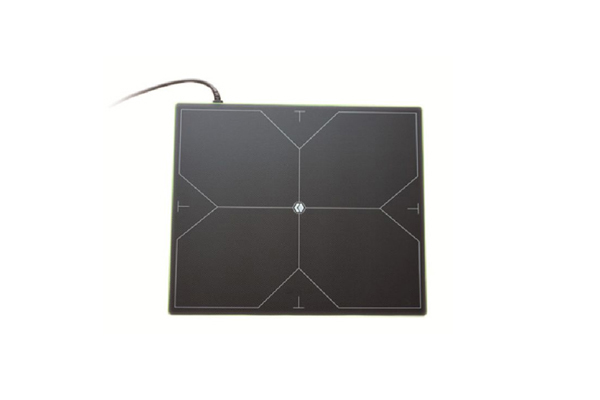
The detector’s role here is bigger than it looks. Crosshair marks, size markings, and a consistent grid-free surface all exist so the operator can aim confidently in seconds. If your current detector’s back has no useful alignment reference — or if it lives in a holder that covers the marks — this bucket is being fed by hardware, not by hands.
The exposure and positioning were correct, but the image is unusable: moiré from a grid misaligned with the beam, a shadow from a collar or a pocketed item, a ghost from the previous exposure, or a dead-pixel line that the radiologist refuses to interpret around. Every one of these is a detector-system problem wearing the costume of a technologist problem.
Each artifact type has its own root cause and its own fix — calibration, grid matching, object screening — which we walk through in our calibration-perspective guide to artifacts and uniformity. The anti-scatter grid deserves special attention here: it is the accessory that decides whether images look sharp or foggy, and a wrong grid match can quietly manufacture retakes for years. That story is in our grid selection guide.
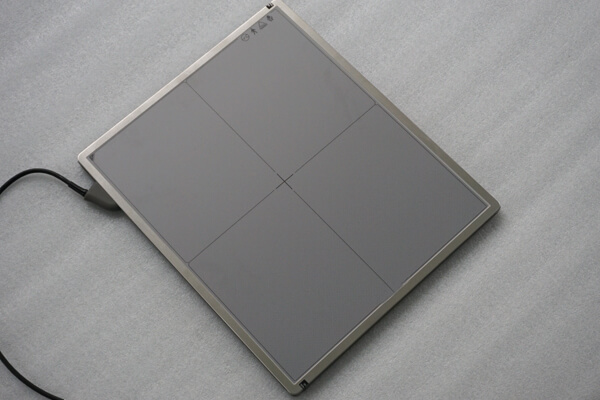
The room never produced an image at all: the exposure happened, but the detector did not trigger, or the acquisition window closed early, or the wireless link dropped mid-transfer and the image was lost. These are the most frustrating retakes because nothing was visibly wrong — the technologist did everything correctly and still has nothing to show for it.
This bucket is almost purely technical, and its fingerprints are distinctive: it clusters on specific generators, specific detector mounting positions, or specific wireless conditions. It is also the bucket most likely to improve with a firmware or configuration change rather than a new purchase. Our explainer on how a detector talks to the room — worklist and exposure sync covers the mechanics; wired vs wireless covers when the link itself is the risk.
The image data was adequate, but the person judging it saw it on a monitor with wrong presets, wrong window settings, or a screen that cannot show what was captured — so it was “repeated” for a problem the detector never had. This bucket is common in rooms that upgraded to digital gradually, where the display chain lagged behind the detector. It is invisible in any log that only counts “bad images,” because the original image was never actually bad.
If your retake log shows a cluster of “too blurry” or “too noisy” judgments that were never confirmed by the archived image, this is your bucket. Sometimes the fix is monitor settings; sometimes it is agreeing on who judges acceptance and where.
The image is acceptable by any objective measure, but the person reviewing it is stricter than the person who took it — or standards drift between shifts, between reviewers, or between “the radiologist is in the room today” and other days. This bucket produces retakes that no amount of hardware improvement will fix, because the problem is that the room has not agreed on what “acceptable” means.
The fix is a one-page acceptance standard: a short list of what makes each common view shippable, agreed by everyone who judges images, and applied the same way every time. It costs one meeting and saves months of quiet friction.
Sorting retakes into buckets requires knowing three things about each event: what view it was, what the image looked like, and what the operator noticed. A pocket notebook or a shared spreadsheet is enough. Five fields:
| Field | What to record | Why |
|---|---|---|
| View | Anatomy and projection (e.g., PA chest, lateral knee) | Bucket 1 and 2 patterns are view-specific |
| Reason | The operator’s own words for why it was repeated | Exact wording matters — “blurry” and “edge cut off” are different buckets |
| Detector setup | Table / wall stand / free; wired or wireless; grid in or out | Bucket 3 and 4 patterns cluster by setup |
| Operator | Initials (or “relief staff”) | Separates training needs from configuration needs |
| Outcome | Accepted on repeat / problem escalated / image later judged acceptable | Catches Bucket 5 and 6 events that were never real failures |
After 30–50 logged retakes, the pattern is usually unmistakable. One bucket dominates, and it points at a specific, affordable action.
One caution: if Buckets 3 and 4 together dominate, and calibration and configuration changes have not moved the number, the detector itself may be the problem — aging panels do degrade, and there is a defensible decision point between “keep calibrating” and “replace.” We have set out that decision framework in our repair-vs-replace guide.
Weeks 1–4: log every retake in the five fields. Change nothing else — the temptation to fix things mid-measurement corrupts the data.
Weeks 5–6: bucket-sort the log. Identify the dominant bucket. Fix the cheapest, most likely cause of that bucket (a calibration, a settings change, a standards meeting, a holder adjustment).
Weeks 7–12: keep logging. If the bucket’s share drops, you found it. If it does not, escalate to the next-level fix — and now you have a written record showing exactly what you tried, which is precisely what a service engineer or a supplier needs to help you efficiently.
This is also, quietly, the best purchase-justification tool a radiology lead can own: a log that shows a configuration-limited room will argue for the right detector far more convincingly than any general complaint about “image quality.”

A: Not before the log exists. Until you have bucket-sorted data, “discipline” punishes people for hardware and configuration problems they cannot control — and guarantees they will quietly stop logging, which destroys the only tool that could have helped them.
A: Yes, with one addition: portable workloads shift weight toward Buckets 1 and 4 (size mismatch and sync failures), because freehand positioning and variable conditions are inherent to the setting. The log’s “detector setup” field exists precisely to show this pattern rather than blame it.
A: Usually not automatically — most acquisition workstations do not push rejection events upstream unless that is arranged. If remote diagnostics matter to you, ask for it explicitly at purchase: what is logged, where it is stored, and whether the vendor can read it with your permission. Write the answer into the agreement.
A retake rate is the cheapest quality instrument in your imaging department: it costs a notebook and five minutes a day. Sort the events into six buckets, let the dominant pattern name the problem, and spend your next dollar — training, calibration, configuration, or hardware — where the data actually points.
If your log points at the detector itself — persistent artifact clusters, sync failures across configurations, or an aging panel that calibration no longer rescues — tell us what the log shows. Write to admin@newheek.cn, call or message +86 19062611512 (WhatsApp available here), or reach us through the contact page. A detector that matches the room’s actual failure pattern is worth more than a better spec sheet, and we would rather help you read the data than sell you a panel you don’t need.
Author:Newheek-Detector
Tel:+86 19062611512
Email:admin@newheek.cn
Company:Weifang Newheek Electronic Tech Co., Ltd.