a flat panel detector is one link in a communication chain, not a standalone device. Between the moment of exposure and the image appearing under the radiologist’s cursor, the detector has to exchange patient demographics with a worklist, synchronize with the generator, and hand the finished image to PACS in a standard format. When any one of those conversations is misconfigured, the panel gets blamed for problems it did not cause.
This article explains the three conversations — worklist, synchronization, and image transfer — in plain language, and ends with the connectivity questions to settle in writing before you buy. It completes a trilogy on what happens after purchase: we have already covered how long a panel lasts and where it survives and choosing between wired and wireless operation; this one is about everything the panel must talk to.
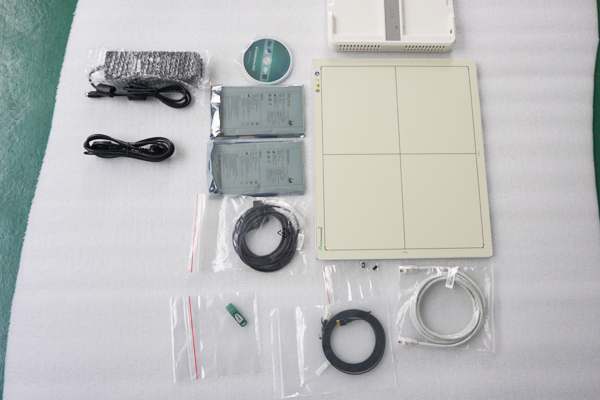
A typical DR examination touches five systems in sequence:
The detector is physically involved in step three, but functionally entangled with all five. Understanding the two “invisible” conversations — worklist and synchronization — is what separates a smooth installation from a room that technologists quietly work around.
Without a worklist connection, somebody types every patient’s name, ID, and birth date into the acquisition station by hand — before every examination. Manual entry is slow, and it is the root cause of the classic DR embarrassments: images filed under misspelled names, studies attached to the wrong patient record, and repeated demographic corrections after the fact.
A modality worklist (MWL) connection, using the DICOM standard, lets the acquisition workstation query the hospital information system and fill the day’s examination list automatically. The technologist selects the patient from the list instead of typing the record, which removes an entire class of error and typically saves a minute or more of typing per examination — across a busy list, that is the difference between a workflow and a bottleneck.
What to confirm before purchase: that the detector’s acquisition software supports DICOM worklist query, that your RIS/PACS team can grant the room access, and that someone owns the mapping between your hospital’s patient identifiers and the acquisition station’s fields. The software side is usually straightforward; the institutional side — who approves the connection, which network segment the room sits on — is where installations stall.
A flat panel detector must be armed — actively collecting charge — at the exact moment X-rays arrive. Miss that window and you get a blank or partially exposed frame; the generator fires, the patient receives dose, and no diagnostic image results. The mechanisms that keep detector and generator in step are therefore not accessories; they are the heart of the installation.
The common approaches, in rough order of simplicity:
Failures here are famously misleading: an intermittent sync problem looks exactly like a detector fault — blank images, dropped frames, inconsistent exposure — and panels get returned for repair when the real issue is a handshake cable, a generator interface setting, or an AED threshold. A structured acceptance test (consecutive exposures, deliberately including edge cases like very short exposure times) catches this before the panel ever gets blamed.
Once the image exists on the acquisition workstation, it must reach PACS as a DICOM object with the right patient record attached. Three practical realities decide whether this “last hop” is smooth:
The wireless variant of this conversation — radio links, access points, and hospital Wi-Fi planning — is its own engineering topic, covered in our guide to wired versus wireless detector operation.
Many detector purchases are not new rooms — they are film or CR rooms gaining a digital panel. Integration questions dominate these projects: which generators the panel’s interface supports, whether AED operation is appropriate for the existing generator’s characteristics, what cabling the room needs, and whether the acquisition software can import the worklist from the hospital’s existing systems. Retrofit succeeds or fails on these conversations, not on the panel’s pixel count — the imaging numbers matter too, but they are the part most often explained elsewhere, for example in our walkthrough of what the spec-sheet numbers actually do in the exam room. Integration decides whether that performance ever reaches a diagnostic screen.
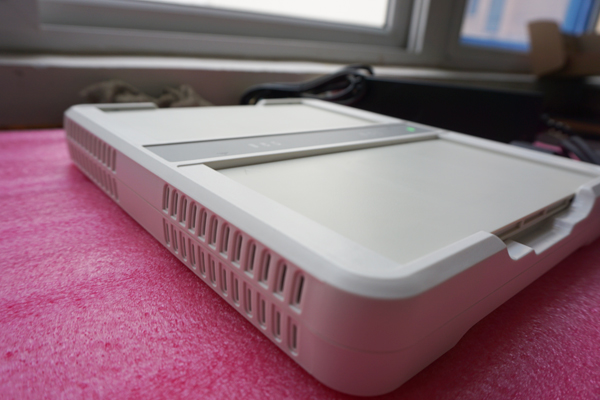
Settle these in writing with any supplier before ordering. They also make multiple offers comparable on equal terms — the same discipline as a structured RFQ, which deserves its own article.
Usually not in the panel itself. DICOM handling lives in the acquisition workstation software that the panel feeds; the detector’s job is capture and transfer to that workstation. This is why panel and software are evaluated as one system — and why a detector bought without its acquisition chain can be an integration headache.
Modality Worklist is the DICOM service that delivers the patient list to your acquisition station automatically. It matters because manual demographic entry is the main source of misfiled and mislabeled studies, and because re-typing every patient adds up over a busy list. It is the single highest-value integration feature in a DR room.
Almost always configuration, not the detector: firewall rules between subnets, a wrong Application Entity title or port, or PACS-side authorization missing for the new room. Check the workstation’s DICOM queue and status log first — the error reason is usually sitting there.
Often yes, via automatic exposure detection, which senses X-rays at the panel instead of taking a trigger cable from the generator. Whether it suits your room depends on the generator’s characteristics and your tolerance for on-site configuration — put the question to suppliers in writing and ask for a site survey before committing.
The whole conversation chain: pull a patient from the worklist, take a series of consecutive exposures including very short ones, confirm images reach the PACS diagnostic workstation (not just the acquisition console), and simulate a PACS outage to watch how the queue behaves. Image quality alone tells you nothing about integration health.
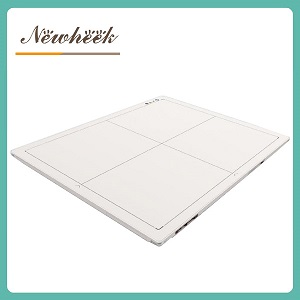
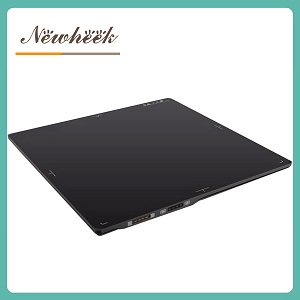
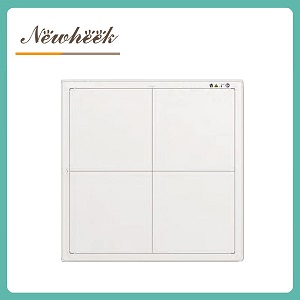
Buying a panel for an existing room? Send us your generator make and PACS environment, and we will tell you exactly which integration questions to ask — before you order. You can also browse a typical cassette-size wireless flat panel detector to see how connectivity is documented on the product side.
Email: admin@newheek.cn | Phone / WhatsApp: +86 19062611512
Author:Newheek-Detector
Tel:+86 19062611512
Email:admin@newheek.cn
Company:Weifang Newheek Electronic Tech Co., Ltd.