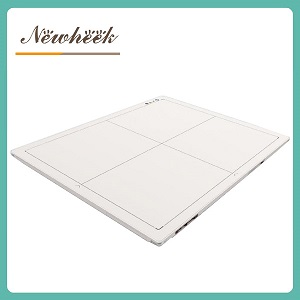
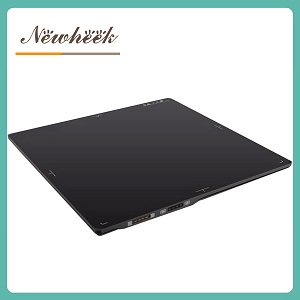
a wireless flat panel detector does not remove the network from your imaging chain — it moves the network engineering from a cable pull into your Wi-Fi infrastructure. Before you choose cable-free, someone must confirm that the examination room, the corridors in between, and the reading area all have the signal strength, channel capacity, and DICOM connectivity to move every image, every time.
Cable-free detectors are popular for good reasons: no conduit through walls, faster installation, and the freedom to carry one panel between a wall stand, a table, and a stretcher. But in real installations, the most common cause of a “bad” wireless detector is not the detector. It is a network that was never planned for clinical imaging traffic. This article walks through the data path, the environment, and a practical checklist you can complete before signing a purchase order — and it pairs naturally with our broader guide on how to choose a DR flat panel detector.
A wired detector has one job on the network: push images down a cable. A wireless detector replaces that cable with a radio link, and a radio link is a shared, interference-prone resource. When a hospital buys a wireless panel and then reports dropped or delayed images, the root cause is usually found in one of these places:
None of these are detector defects. All of them are avoidable with a day of planning. Treat the network as part of the device specification, not as an afterthought.
Every wireless radiograph travels the same chain, and every hop is a potential failure point:
When you troubleshoot a “wireless detector problem,” you are really troubleshooting one of these three hops. A useful discipline: before blaming the panel, confirm where the image actually stopped. Most acquisition software keeps a local queue — if the image appears on the workstation console but never reaches PACS, your wireless link is fine and the DICOM configuration is not.
Consumer-grade Wi-Fi planning assumes a living room, not a radiology suite. Three hospital-specific realities change the math:
Complete this checklist with your IT team before the detector is delivered. Every item can be checked with standard tools; none requires the vendor to be on site.
Walk each room with a laptop or phone running a Wi-Fi analyzer and record signal strength where the panel will physically sit. Many hospital IT teams treat roughly −65 dBm as the working threshold for clinical devices; weaker than that, plan an additional access point or a relocation before go-live. Record the numbers — they become your acceptance criteria.
Put the detector and the acquisition workstation on their own SSID and VLAN, separated from guest and general staff traffic. This isolates imaging traffic from airtime competition and simplifies both security review and troubleshooting.
Ask IT for the channel map of the access points near the radiology rooms and confirm there is no co-channel overlap between adjacent rooms. Interference between your own access points is a far more common problem than interference from neighbors.
Confirm that the detector, workstation, and PACS subnets can reach each other on the required ports, and that DHCP reservations (or static addresses) exist for the panel and workstation. An image queue that silently fills up because a firewall rule is missing is one of the most common go-live failures.
Ask what happens if the wireless link fails mid-list. A wired fallback drop at the wall, a second access point, or even a documented procedure for switching rooms turns a stall into a minor delay.
Do not accept a wireless detector installation on the strength of a single demo exposure. A short structured test, run on the live network during a busy hour, tells you more than any spec sheet:
Record the results in the acceptance document. If a performance problem appears later, you will have a baseline to compare against.
Network requirements belong in the purchase documentation, not in a verbal agreement. At minimum, ask the vendor to state in writing: the radio standard and band the panel uses, whether it supports the enterprise security your hospital mandates, how it behaves during access-point roaming, and what diagnostic information the panel exposes when a transfer fails. These four answers also make vendors comparable on equal terms — which is exactly the spirit of a structured RFQ process, and a good checklist to extend if you are already preparing one.
Far less of it. A wired panel moves the engineering burden to cable installation and switch capacity, which are predictable and one-time. This is one of the practical reasons wired panels remain common in fixed rooms with stable workloads — the trade-off is analyzed in detail in our wired vs. wireless flat panel detector comparison.
It will usually work in a demo and fail during a busy clinic. Shared SSIDs mean shared airtime, and clinical image traffic competes with everything else in the building. A dedicated SSID and VLAN for imaging devices is the standard practice and costs very little to implement.
Use a Wi-Fi analyzer and aim for the threshold your IT team already applies to clinical devices; roughly −65 dBm is a common working target. The absolute number matters less than measuring it in the actual positions where the panel will sit — including inside a shielded room with the door closed.
Almost always into the acquisition workstation’s local queue. The image is rarely lost; it is waiting. Check the queue and the DICOM status log first — if images are reaching the workstation but not PACS, the issue is configuration, not radio.
Yes. Battery life varies by model and workload, so ask the vendor for the expected studies per charge under your technique settings, and plan a charging routine around breaks. Treat battery discipline as part of workflow planning, the same way you plan probe disinfection or calibration — and note that batteries and connectors are also wear items covered in our guide to durability specs for flat panel detectors.
Planning a cable-free DR room? Share your room list and network layout, and we will help you define the connectivity requirements before you commit — including what belongs in the purchase documentation. You can also review a typical cassette-size wireless flat panel detector to see which connectivity details manufacturers publish.
Author:Newheek-Detector
Tel:+86 19062611512
Email:admin@newheek.cn
Company:Weifang Newheek Electronic Tech Co., Ltd.