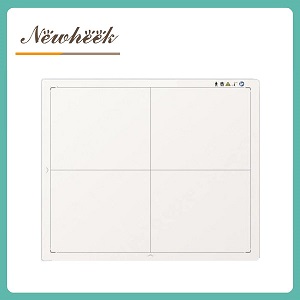
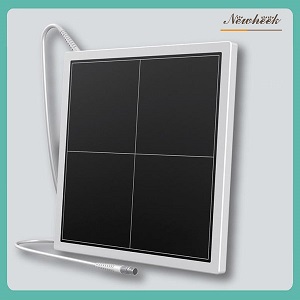
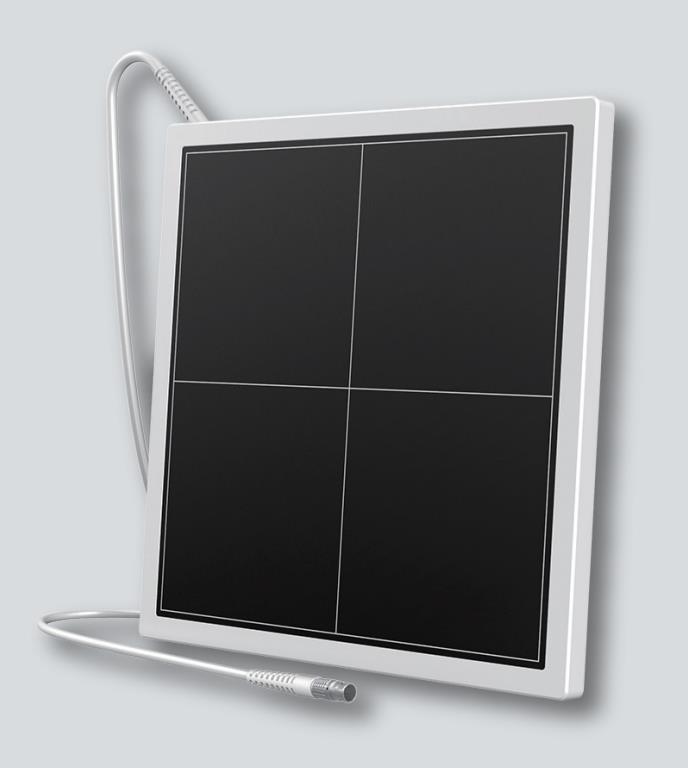
a pet DR flat panel detector is the digital receptor that replaces film and cassettes in veterinary radiography. It does not make the animal hold still, and it does not choose the technique factors — but it changes almost everything that happens around the exposure: the image appears on screen within seconds, a retake happens before the patient leaves the table, one capture can be displayed several different ways, and the finished study moves to a referring surgeon or an owner’s phone without a single sheet of film. This article walks through a digital animal X-ray exam step by step, so you can see exactly where the detector earns its place — and where it honestly does not.
| Step | With film or CR | With a DR flat panel detector |
|---|---|---|
| Positioning and restraint | Same hands-on work | Unchanged — the panel does not help here |
| Exposure | One chance per plate | Same trigger, immediate capture |
| Seeing the result | Minutes to process, sometimes off-site | On-screen in seconds, at the table |
| Retakes | Re-restrain the patient, re-shoot, wait again | Judge and repeat while the animal is still positioned |
| Displaying the study | One fixed film look | Same capture, several display adjustments |
| Sharing and storage | Physical films, envelopes, shelves | Files: referral, telemedicine, archive |
An honest place to start: the detector improves none of the hardest physical work in veterinary radiography. A wiggling spaniel still needs a positioner or a second pair of hands, a sedated cat still needs careful support, and a poorly centered shoulder still produces a poorly centered image. Digital capture removes the cost of a wasted plate, but it should never become an excuse to skip positioning discipline — fast, clean images still start with someone who takes thirty extra seconds to place the limb correctly.
What the panel does change here is subtle but real: because the receptor is a flat, rigid panel rather than a fragile film in a cassette, handling is simpler in dark rooms and under blankets, and wireless panels can slide under a patient without wrestling a cable across the table. Our field-tested wired-or-wireless decision framework walks through that choice for a working clinic.
This is where digital imaging actually begins. The moment the exposure fires, the panel’s electronics read the charge pattern across its sensor surface and hand a complete image to the acquisition workstation. No processing tank, no phosphor plate on a reader, no waiting loop. At the table, the image is simply there — typically within seconds — while the animal is still in position.
That single change reshapes the whole exam. Chest films on a panting dog are the classic case: respiratory motion blurs the lung fields, and on film the blur was discovered after development, when re-restraining the patient was the last thing anyone wanted to do. With a panel at the table, the tech looks, judges sharpness and inspiration, and repeats immediately if the timing was off — same position, same restrained patient, one extra exposure instead of one lost exam.
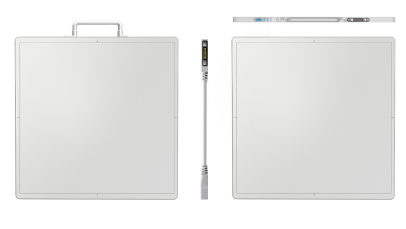
A detector does not capture “a picture” so much as a dense grid of brightness values. The acquisition software then displays that data however the case demands: darker and contrastier to trace a bone fragment, brighter and flatter to survey an abdomen, zoomed to check a tooth root. With film, each of those looks required its own exposure technique; with a digital panel, one well-captured image supports all of them.
Two practical notes belong here. First, the display adjustments never rescue a bad capture — underexposed, motion-blurred or scattered images carry their faults into every rendering, which is why positioning and technique discipline still matter. Second, the panel is only half of the software story: acquisition, processing and display settings all live in the workstation, and it is worth reading our piece on whether you can buy a detector without software before comparing quotes.
Once the study is accepted, the digital exam continues on the network instead of in an envelope. Typical destinations in a pet clinic:
Getting images to move reliably between modalities, workstations and viewers is a standards job, not a plug-and-play one — our walkthrough of how a detector talks to your room covers the integration side in detail.
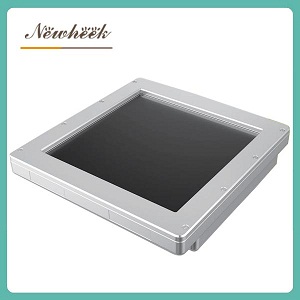
Running exam after exam on one panel puts specific demands on the hardware. The panel is handled dozens of times a day, slid under patients, leaned against kennel walls — so structural robustness matters as much as image quality. It is also a powered electronic device now sitting in a room cleaned between every patient, which makes cable routing and connector care part of daily life: the wired-versus-wireless trade-off from step one is really a workflow decision. And when a clinic converts an existing film or CR room rather than buying a new machine, the panel has to fit the room it inherits — the checklist in our CR/film-to-DR upgrade guide covers that detector side.
Indirectly, yes in many cases. Because the image is visible immediately and retakes happen while the patient is still positioned, the total exam time shrinks and the number of exposures drops — which shortens the sedation window or, for calm patients, removes the need altogether. The detector is not a substitute for sedation when the case requires it.
Usually yes. A panel moves between the table bucky and the wall bucky the same way cassettes always did, and a wireless panel makes that round trip faster because there is no cable to unclip. Confirm that your existing buckies accept the panel’s physical size before ordering.
It stays where it is — paper envelopes do not migrate automatically. Many clinics keep recent film studies on the shelf and scan specific cases on demand when a comparison is needed. New studies from day one are digital and searchable.
The imaging core works the same way. Veterinary use typically stresses different things: more handling and transport, a wider range of patient sizes from kitten to mastiff, and software tuned for clinic workflows rather than hospital departments. That is why veterinary-specific models exist, even when the underlying technology is shared.
If you are weighing a pet DR panel against your current film or CR setup, tell us your patient mix, your existing machine and your software environment — we will help you match the panel size and connection type to the way your clinic actually works, instead of the most expensive option on the list.
Author:Newheek-Detector
Tel:+86 19062611512
Email:admin@newheek.cn
Company:Weifang Newheek Electronic Tech Co., Ltd.