Quick answer: orientation decides which way the panel covers a patient
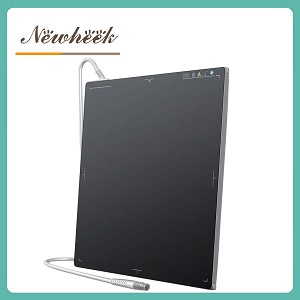
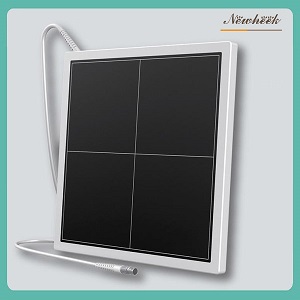
A rectangular flat panel detector fits a patient in one direction better than the other. Turned upright, the long edge runs top to bottom and covers a standing chest or a full leg in a single exposure. Turned flat, the long edge runs side to side and covers a supine abdomen or a table-side extremity. Nothing about the sensor changes when the panel is rotated, but the area available for a given exam changes completely. Buyers who treat orientation as a detail discover it later, when a panel that looked large on a quotation crops a tall patient or leaves a wide one uncovered. The useful question is not whether a detector rotates, but which orientations the room will actually use and how the image is labelled after each turn.
Why the same panel covers a different area in each direction
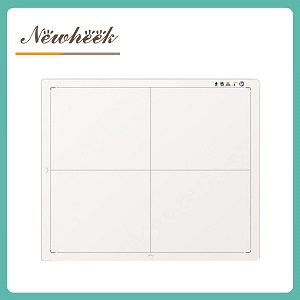
The active area of a rectangular panel has two unequal edges. In portrait, the longer edge stands vertical: useful height, narrower width. In landscape, that same edge lies horizontal: useful width, less height. A chest image needs height — from lung apices to the bottom of the thorax — so portrait is the natural fit. A supine abdomen or a lateral decubitus view needs width across the body, so landscape serves it. Choosing an orientation is choosing which dimension to spend on the patient in front of the detector.
Square panels avoid the question. A square active area gives the same coverage either way, which is why some rooms pay more for it. The trade-off is cost and physical size, not image quality. For a clinic whose work divides evenly between tall and wide views, a square panel can be simpler than learning to rotate a rectangular one.
Which orientation suits chest, spine, abdomen and extremity work
Most rooms settle into a pattern, and the pattern follows the shape of the anatomy:
| Examination | Orientation that usually fits | Reason |
|---|---|---|
| Standing chest, upright spine | Portrait | The long dimension follows the body axis; apices to diaphragm in one image |
| Long leg, full-spine survey | Portrait | Length matters more than width; reduces the number of stitched images |
| Supine abdomen, pelvis | Landscape | Transverse width is the limiting dimension |
| Table-side extremity, lateral views | Landscape or rotated | The limb lies across the panel rather than along it |
| Small animal or paediatric work | Either | Collimation usually matters more than full coverage |
These are starting points, not rules. Room geometry, source position and patient habitus all move the boundary. The chest coverage guide works through the upright case in detail, and the long-leg and whole-spine explainer covers what happens when one orientation cannot cover the anatomy at all.
Can one detector really do both orientations
Depends on the mount. If the panel is fixed in a bucky tray or a wall stand that only accepts one direction, the detector has one orientation in practice. If it is used free-hand on a table, in a cassette-size holder, or on a trolley stand, rotation is possible — but only if the holder, handle position and cable route allow it without straining the connector. A wired panel has a cable that must follow the turn; a wireless panel removes that constraint but adds battery and link considerations.
The mechanical side belongs to the stand, not the sensor. The upright trolley stand shows how a second work position changes where a panel can be placed. For the panel itself, the honest question is whether rotating it needs a second holder, a second calibration reference, or a changed trigger setup — all points to settle before ordering.
What happens to the image after the panel is turned
Rotation is not only mechanical. The acquiring software has to know which way the panel was pointing when the exposure happened, so the stored image is displayed with the patient upright and the correct side marked. When orientation is reported correctly, a chest image opens the right way up in the review workstation and the DICOM header carries the information forward. When it is not, images arrive sideways, and someone corrects them by hand — or fails to notice and reports from a rotated view.
This is worth checking at the demo rather than assuming. Acquire one image in each orientation, send both to the PACS, and confirm how each opens. The DICOM and exposure-sync explainer covers the wider set of signals a detector exchanges with the room; orientation is one line in that exchange, and it should not be left to chance.
Does rotating a detector change calibration or image quality
The sensor does not become sharper or softer when turned. What can change is everything around it: the way the anti-scatter grid sits relative to the beam, the heel effect across a rectangular field, and whether the collimator is aligned to the long or short edge. In practice these are handled by technique and positioning, not by a different panel. A detector that produces a clean portrait chest will produce a clean landscape abdomen on the same unit, provided the setup is right for each.
Routine calibration still applies regardless of direction. If a panel is used in two mounts, each mount should be checked once during acceptance so that neither setup is the one that quietly produces the worse images.
What to ask a supplier before choosing an orientation
Orientation is easy to overlook on a specification sheet, which is exactly why it belongs in a written request. The questions below are short enough to send as a list and specific enough to produce comparable answers:
- Which orientations does the panel physically support in the mount being purchased?
- Does rotating the panel require a second holder, handle or trigger arrangement?
- How is orientation reported to the acquisition software and written into the DICOM header?
- Are separate calibrations or acceptance checks needed for each orientation?
- Does the warranty treat damage from a rotated mount differently from a standard one?
- For a wired panel, how is the cable routed in each orientation without pulling the connector?
Answers in writing turn a vague “it can rotate” into something that can be compared across two quotations. A supplier who has installed the same panel in the same orientation elsewhere should be able to describe the setup without guessing.
Where size and orientation meet
Orientation cannot create area that the panel does not have. A panel that is too small in the long dimension will crop a tall patient in portrait no matter how the software presents the image; a panel that is too narrow will do the same in landscape. Size selection comes first, orientation second — the two decisions are separate lines on a specification sheet. The 14×17 versus 17×17 comparison covers the size decision, and the large-format explainer describes when a bigger active area removes the compromise altogether.
Wired and wireless variants also change how easily a panel turns during a working day. The wired versus wireless comparison sets out that trade-off, and the spec sheet explainer covers the image specifications that stay the same whichever way the panel is held.
FAQ
Does turning a flat panel detector change image quality?
The sensor itself is unchanged by rotation, so resolution and detector performance stay the same. What can change is the setup around it: grid alignment, collimation, heel effect across the field and patient positioning. A panel that is set up correctly for each orientation produces comparable images in both; the differences seen in practice usually come from technique rather than from the detector.
Is portrait or landscape better for chest radiography?
Upright chest work normally uses portrait, because the long edge of the panel follows the body axis and covers lung apices through the diaphragm in one exposure. A square panel removes the distinction. The deciding factors are patient habitus, source-to-image distance and the mount available in the room, not a preference for one direction in the abstract.
Can one detector be used in both portrait and landscape?
Often yes, when the mount, holder and cable route allow rotation. A fixed bucky tray or wall stand may accept only one direction, while a free-hand table use or a trolley stand usually permits both. Confirm whether the acquisition software records the orientation and whether any second holder or acceptance check is needed before assuming one panel covers both.
Why do some images open sideways in the review workstation?
Because the system did not know the panel’s orientation at exposure, or the orientation information did not travel with the image into the PACS. The pixel data can still be correct, but the display needs a manual rotation. Acquiring one test image in each orientation at the demo and checking how each opens is the simplest way to catch this before go-live.
Should a square panel be chosen instead to avoid the orientation question?
Square panels give the same coverage in either direction and simplify rooms that split time evenly between tall and wide views. The cost is usually higher and the panel footprint larger. A rectangular panel remains the practical choice when the caseload clearly favours one direction, or when budget matters more than the convenience of rotating less often.
Orientation, mount and specification questions in writing:
Emal:admin@newheek.cn
WhatsApp/tel/wheChat: +86 19062611512