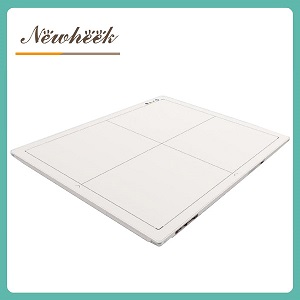
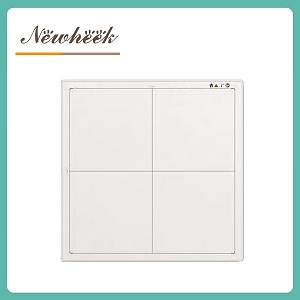
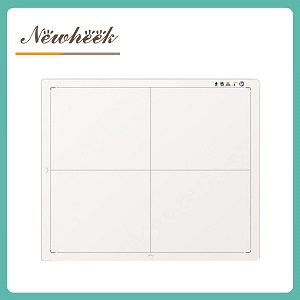
A used or refurbished flat panel detector carries a history a new unit does not — previous owners, unknown drop or fluid events, a calibration clock that does not reset, and software that may or may not move to a new site. The purchase decision rests on documents and a short physical inspection, not on how the panel looks. Before any payment, obtain the pixel-defect map and calibration certificates for the exact serial number, confirm the interface still matches the room’s generator and network, and establish whether the warranty and software license transfer. A unit with missing history or a refused calibration certificate is a risk regardless of price.
This guide addresses hospitals, veterinary practices, imaging centers and integrators that are evaluating a second-hand panel. It treats the detector as a documented asset, because that is what it becomes the moment ownership transfers.
A new detector ships with a known baseline: a current calibration certificate, a full warranty, a software license tied to the buyer, and zero exposure history. A used unit starts from the opposite position. The scintillator and photodiode array have already absorbed a dose that no datasheet states. The housing may have been dropped onto a tiled floor once and left no log entry. The acquisition software may be licensed to a previous practice that closed.
The inspection below separates what can be verified on paper from what must be seen in person. Paper first, because a unit with clean documents is worth a physical trip; a unit with no documents is not worth one.
Every flat panel detector leaves the factory with a pixel-defect map — a record of pixels that are dead, stuck or out of tolerance. Request the map for the exact serial number, not a generic sample. A current map tells two things: how many defective pixels exist, and whether the count grew between the unit’s first and most recent calibration.
| Observation | What it means | Action |
|---|---|---|
| Defect count within the original tolerance band | The array aged normally | Keep the map on file |
| Defect count rose sharply between calibrations | The array is degrading | Ask for the cause and the recent recalibration result |
| No map, or a map for a different serial | History is unverifiable | Treat as a red flag |
A single bad pixel in the corner is normal. A cluster growing along one edge, or a line of dead pixels, usually points to a physical shock or a failing row driver. Neither shows up in a photograph of the panel’s casing.
Calibration is the process that maps raw sensor readings to diagnostic image values. A panel that skipped calibration drifts: images look acceptable until a subtle finding sits on a region the panel no longer reads correctly. For a used unit, the calibration record is the health record.
Request every calibration certificate issued for the serial number, with dates. Note the interval between them — a panel calibrated once in five years was likely underused or neglected. Note who performed them: a certificate from the original manufacturer or a qualified service organization carries more weight than an in-house printout with no reference standard. If the most recent calibration is more than twelve months old, budget for a recalibration before the unit enters clinical use, and confirm who performs it and at what cost.
The casing hides more than it reveals, but several checks are visible without opening the panel:
A panel that looks pristine but ships without a documented handling history is not pristine by default. The inspection confirms what the documents claim.
A detector is only as useful as its connection to the existing room. A used panel bought on price becomes a paperweight when its trigger mode, connector or software does not match the generator and network already installed. Verify four points against the current room, not against the unit’s original specification:
| Interface point | What to confirm |
|---|---|
| Trigger mode | AED, software trigger or generator-prep signal — and which generator models it synced with before |
| Connection | Wired (interface type) or wireless (Wi-Fi standard); the room’s network must meet the wireless panel’s requirement |
| Software license | Whether the acquisition software transfers to a new owner and a new machine, in writing |
| PACS and DICOM path | How images reached the previous PACS, and whether that path exists at the new site |
The size format decides whether the panel drops into an existing bucky tray. A 14×17 versus 17×17 comparison covers which dimensions fit which rooms, and the wired versus wireless decision covers the connection trade-off a used purchase inherits. The backplane technology explainer describes what the panel’s internal architecture means for image behavior and service.
A used detector often carries a warranty that is shorter, narrower, or simply non-transferable. Three questions decide whether support exists after payment:
Spare-parts availability matters more on a used unit than a new one. Ask for the stated lead time on a replacement panel and on consumable items such as batteries and cables. A supplier who cannot name a lead time is signaling a supply gap that becomes a downtime event later.
None of the checks above are useful if the paperwork does not travel with the unit. Demand these before any payment, each tied to the exact serial number:
A unit sold “as-is” with none of the above is being sold for parts, not for clinical use. Price it accordingly, or pass.
However low the price, these conditions remove the unit from consideration:
The documents. Request the pixel-defect map and calibration certificates for the exact serial number before arranging any physical inspection. A unit with clean, matching paperwork is worth a site visit; a unit without it is not.
There is no single threshold that applies to every model. The decision rests on the trend: a defect count inside the original tolerance band is normal, while a count that rose sharply between calibrations signals a degrading array. The exact tolerance for the model should be read from the unit’s datasheet and compared against its most recent map.
Not automatically. Many manufacturer warranties are bound to the original purchaser and end at the first ownership change. Whether support continues depends on the supplier’s written terms, which must be obtained before payment rather than assumed afterward.
Only if the license permits transfer, and only with written proof naming the new owner and machine. Software licensed to a closed practice or a specific workstation may not legally or technically run at the new site. Confirm transfer in writing before purchase.
A panel can look flawless and still drift if calibration was skipped or performed against an unknown standard. Calibration certificates with dates show whether the array aged normally or degraded, and whether a recalibration is due before clinical use. Appearance shows none of this.
Specification sheet requests and supplier questions for a used-detector evaluation: admin@newheek.cn | WhatsApp: +86 19062611512
Author:Newheek-Detector
Tel:+86 19062611512
Email:admin@newheek.cn
Company:Weifang Newheek Electronic Tech Co., Ltd.