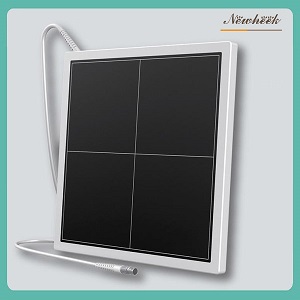
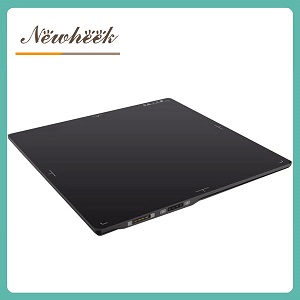
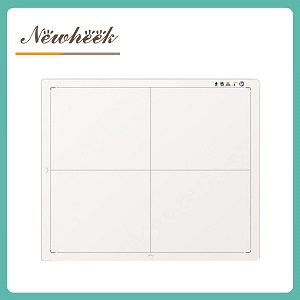
Quick answer: A flat panel detector is most vulnerable when it is not being used — in transit, sitting in a warehouse, being carried from a cold vehicle into a warm imaging room, or waking up after months in a cupboard. Temperature and humidity do not usually kill a panel outright; they shift its baseline, invite condensation on and around the electronics, and turn the first images of the day into something you might misread as a faulty detector. The safe routine is to obtain the manufacturer’s written operating and storage ranges, let the detector acclimatize inside its packaging before power-up, record a receiving and first-exposure baseline, and follow the instructions for use (IFU) for warm-up and calibration. This article gives you the timeline, the receiving checklist, and the questions to put in writing before you buy.
Most buying conversations about flat panel detectors stay on familiar ground: size, scintillator, pixel pitch, wireless or wired. Those matter, but they describe a detector that is already powered on and working in a stable room. The weeks before that moment, and the months when a detector is parked between rooms or seasons, rarely appear in a specification sheet. Yet a surprising share of “the detector arrived faulty” calls turn out to be environmental: a panel switched on while still cold, a calibration baseline that was never recorded, a battery that was stored in whatever state it happened to be in, or a first image judged without any reference to compare against. This article covers that gap — the environmental chain from factory to first exposure and back into storage.

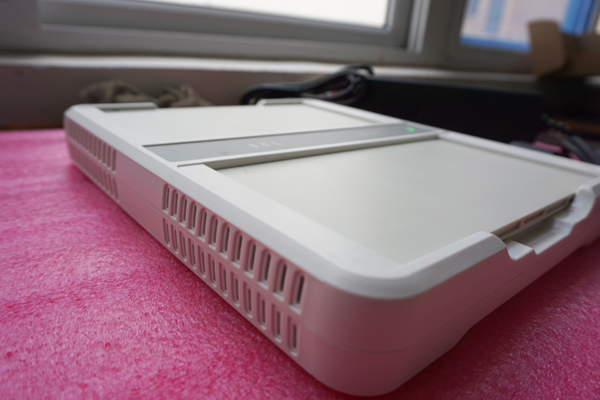
The housing, seams and connectors you see here are also the surfaces that experience every temperature change between the factory and your imaging room.
An exposure lasts a fraction of a second. Transit can last days; storage can last months. During those long quiet periods the detector is still a sealed assembly of glass, electronics, adhesive layers and — in wireless models — a battery, all of which respond to their surroundings. The practical way to manage this is not to memorize a temperature number, but to treat the detector’s life as a timeline with a documented handover at each stage.
| Stage | What changes | What to confirm in writing |
|---|---|---|
| Factory and transit | Vibration, stacking, and temperature swings inside a vehicle or container | Transit packaging specification, permitted storage range, and whether a shock or tilt indicator is supplied |
| Delivery and unboxing | Packaging is opened; the panel meets room air for the first time | Receiving checklist, accessory list, and the documentation that must accompany the unit |
| Acclimatization | A cold panel meets a warm, humid room; condensation is possible | Manufacturer’s acclimatization instruction and whether the unit should remain in its packaging during it |
| First power-on | Electronics stabilize; calibration state is established | Warm-up and initialization steps from the IFU, and which calibration the operator is expected to run |
| First-exposure baseline | The first images become your reference point for everything later | How to record a baseline image set and where to file it |
| Daily cycling | Repeated room-to-room moves, cleaning, and day/night temperature drift | Operating range and any recommended QC cadence |
| Extended storage | Battery state, dust, humidity, and packaging degradation | Storage range, battery preparation, and a return-to-service procedure |
| Return to service | The panel re-enters clinical use after a long pause | Whether recalibration is required, and how to compare against the original baseline |
Notice how few of these rows are about image quality in the usual sense. They are about records, ranges, and instructions — the unglamorous paperwork that decides whether a later problem is diagnosed in an afternoon or argued about for weeks.
The most common environmental mistake is assuming one range covers everything. A detector has an operating range — the conditions under which it is intended to acquire images — and a storage or transport range — the wider conditions it can tolerate while powered down and packed. They are separate lines in a manufacturer’s documentation, and they answer separate questions. A room that is comfortable for staff proves nothing about a crate sitting in a loading bay overnight.
Ask for both ranges in writing, including humidity, before you place an order, and ask which one the warranty language refers to. Do not fill the gaps with assumptions borrowed from office IT equipment or from a specification you saw on a different model. If a supplier answers with a single vague phrase such as “normal indoor conditions,” ask again: the phrase is not a specification, and you cannot write it into a purchase order or a service contract.
It also helps to keep ingress protection and environmental range conceptually separate. An IP rating tells you how a sealed unit resists liquids and particles under defined test conditions; it does not tell you the temperature or humidity band the unit is designed to work or rest in, nor does it describe what happens during a cold-to-warm move. We cover how to read those durability claims in our guide to IP ratings, drop tests and load capacity. Both pieces of information belong in your file, and neither replaces the other.
Condensation is the environmental event most likely to be mistaken for a manufacturing defect. A detector that has spent hours in an unheated vehicle, a cold warehouse, or an air-conditioned cargo hold is colder than the room it is delivered into. Warm room air holds more moisture than cold air; when that air meets a cold surface, water can form on or near it. The same thing happens in reverse in hot, humid climates when equipment moves from a cooled room into ambient air.
The response is unexciting but effective: keep the detector in its transit packaging, leave it powered down, and let it reach room conditions gradually. Opening a cold sealed unit immediately and connecting it is exactly the sequence to avoid. Follow the manufacturer’s acclimatization instruction for both duration and method — including whether the packaging should stay closed — rather than a rule of thumb from another device category. Once the unit has settled, inspect the exterior and connectors for any sign of moisture before the first power-on.
This matters beyond delivery day. Mobile units, veterinary outreach vehicles, and detectors borrowed between buildings repeat the cold-to-warm cycle routinely. If your workflow moves a panel between environments several times a week, acclimatization is not a one-off commissioning task; it belongs in the operating procedure.
A detector resting in its foam transit insert. The packaging is part of the environmental specification, not just padding — it is also what the unit should acclimatize inside.
Receiving is the one moment when the condition of a shipment can be documented objectively. Ten minutes of records at this point can save a great deal of ambiguity later, especially if the crate shows signs of rough handling or the unit is not commissioned immediately.

A complete detector kit laid out at receiving: panel, cables, power supply, and protective foam. Recording what actually arrived is the first line of the baseline.
| Check | What to record | Why it matters |
|---|---|---|
| Outer packaging | Photos of all sides, any impact marks, and any shock or tilt indicator state | Establishes whether transit damage occurred before you touched the unit |
| Packing materials | Keep foam inserts and the original carton for the warranty period | Required for a safe return, and useful evidence in a freight claim |
| Serial number and accessories | Match the unit, cables, power supply, and any supplied covers against the packing list | Missing accessories are easiest to resolve on day one |
| Documentation | File the IFU, warranty terms, and any calibration or test record that shipped with the unit | These documents contain the ranges and procedures the rest of this article refers to |
| Visual inspection | Housing, seams, corners, handle, and connector contacts | Records pre-existing cosmetic or connector condition before first use |
| Power-up decision | Note whether acclimatization was completed before connecting power | Removes ambiguity if an early fault is reported |
If the detector will not be commissioned straight away, say so explicitly in the receiving record. A unit that goes back into storage after delivery needs the same storage preparation as one being retired from service, and the next person to open the box should be able to tell that this happened.
Once the panel has acclimatized, follow the IFU for power-up, warm-up, and any initialization or calibration it requires. Then acquire and file a small baseline image set before the detector enters clinical use. The point is not to certify image quality against a standard; it is to capture what this detector, in this room, on this day looks like, so that a shading pattern or a new line six months later can be recognized as a change rather than assumed to be normal.
Temperature is relevant here because detector response is not perfectly constant across conditions. Dark-field and gain corrections — the calibration steps that compensate for the panel’s own electronic offsets and pixel sensitivity — are established under particular conditions, and a panel that has just come in from the cold or has been powered down for months may not be sitting at the same point. The practical response is procedural, not improvisational: use the manufacturer’s calibration tools and triggers rather than deciding by eye, and note in the QC log whenever a calibration was run and why. If you want a plain-language starting point on the topic, our site has a short guide to how a DR flat panel detector is calibrated; the IFU for your specific unit always takes precedence.
Keep the baseline with the commissioning documents, not in an individual technician’s folder. Staff change, rooms get repurposed, and a baseline is only useful if someone can still find it when a detector starts behaving differently.
A wireless detector carries its own power source, which means storage is also a battery question. A panel parked for a long period with a battery in an unspecified state can come back looking like a faulty detector when the real issue is simply charge. Ask the manufacturer, in writing, what state the battery should be in before extended storage, whether a transport or shipping mode exists, and what interval applies to checking or recharging a stored unit. Do not substitute a general rule from consumer electronics.
The same logic applies at receiving: confirm how the unit shipped, and whether the first step is charging, docking, or immediate use. Our comparison of wired and wireless flat panel detectors covers the broader workflow trade-offs; the environmental point here is narrower — a wireless panel has two things to bring back to a stable state, the imaging assembly and the power system. Veterinary and mobile users, who are most likely to leave a panel in a vehicle between calls, can see the relevant product configuration on the wireless veterinary detector page, and the general wireless range on the wireless flat panel detector page.
Not every environment gives you a stable, conditioned imaging room. Four situations are worth calling out in the operating procedure:
For physical protection while a detector is parked or moved between rooms, a purpose-built cover is a better answer than improvised wrapping — see our article on the flat panel detector protective cover. A cover handles bumps and surface contamination; it does not replace the temperature, humidity, or acclimatization requirements above.
Storage goes wrong when it is treated as “put it on a shelf.” A short, written procedure is enough:
That last comparison is the whole reason for keeping a baseline. A detector returning after a long pause should not be judged against a colleague’s memory of how it used to look.

Original foam, a clean dry surface, and a documented storage location are the starting point for any extended pause in service.
Environmental terms are easiest to agree on before the purchase order is signed. Add these to your RFQ or supplier questionnaire and keep the answers with the commissioning file:
| Ask the supplier | What a usable answer looks like |
|---|---|
| What are the operating and the storage/transport temperature and humidity ranges? | Two documented ranges, including humidity, with reference to the applicable product documentation |
| What acclimatization procedure applies after a cold-to-warm move, and for how long? | A written instruction covering duration, packaging, and power-up sequence |
| What transit packaging is supplied, and is a shock or tilt indicator included? | A packaging description and a clear statement on impact indicators and claim handling |
| What is the battery storage state, transport mode, and check interval? | Specific instructions from the IFU, not a generic consumer-electronics rule |
| Which events require recalibration (thermal excursion, long storage, software update, repair)? | A list of triggers plus the calibration procedure and who is authorized to run it |
| How do environmental conditions affect warranty and service terms? | Warranty wording that names the applicable ranges and the documentation expected in a claim |
These questions cost nothing to ask and produce a document that outlives the purchasing conversation. They also make the handover between supplier, installer, and clinical staff far less dependent on verbal instructions.
No — make acclimatization the first step. Keep the unit powered down and in its transit packaging, let it reach room conditions following the manufacturer’s instruction, then inspect for moisture before connecting anything. A panel that appears to misbehave on a rushed first power-on is often just a panel that was not given time to settle.
It covers the operating stage, but not transit, the loading bay, weekend shutdowns, or a panel stored in a cupboard. Ask for both an operating and a storage range, and check that your actual storage location falls inside the latter.
There is no honest universal number. The duration depends on the temperature difference, the packaging, and the design of the unit, so the IFU for your model is the only appropriate source. Build whatever it specifies into your receiving and mobile-work procedures rather than inventing a house rule.
It can. Warranty terms commonly reference the conditions a device was kept and handled in, and a claim may require documentation. That is why the receiving photos, packaging, ranges, and storage log are worth keeping together — they are the evidence that the unit was stored as specified.
Follow the IFU and your QC procedure rather than guessing from the length of the pause. What matters is that you record whether a calibration was run, and that you compare a fresh image set against the original baseline before the detector returns to clinical use. If the images have changed, you now have a reference that makes the conversation with the manufacturer concrete.
Need the documented operating and storage ranges, the acclimatization instruction, or battery storage guidance for your unit? Tell us how the detector will be shipped and where it will live between uses, and we will put the answers in writing:
Email: admin@newheek.cn
Phone/WhatsApp: +86 19062611512 (WhatsApp chat)
Or leave a message on our contact page — tell us how and where the detector will be shipped, stored, and used, and we will help you assemble the right questions for your supplier.
Author:Newheek-Detector
Tel:+86 19062611512
Email:admin@newheek.cn
Company:Weifang Newheek Electronic Tech Co., Ltd.